How to add Youtube Embed Modal to Google Map

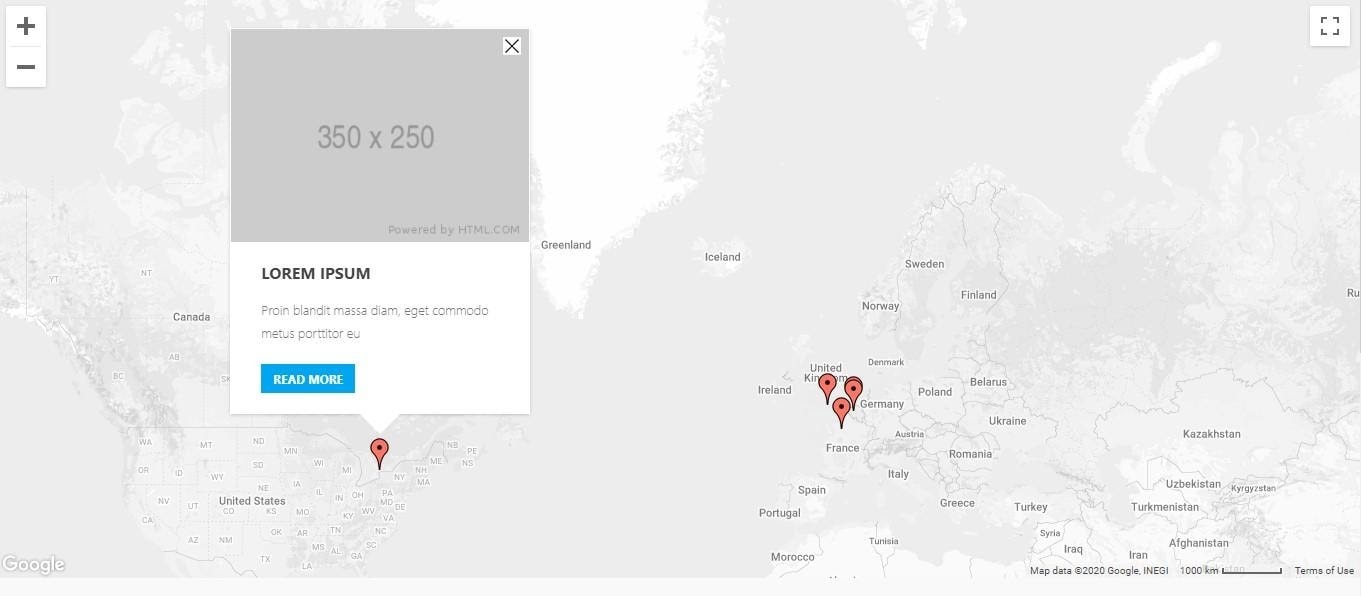
CHALLENGE: Clicking ‘read more’ inside the infobox Google Map window should open a lightbox with a YouTube embedded video.
SOLUTION: Configure Magnific Popup and add a custom javascript onclick event.
A short description or a photo can be very informative, but a video surely adds a dynamic touch to an otherwise static image of a Google Map. Here is how we do it.
Let’s say, there is a Google Map with markers. After clicking, an infobox, a window appears and provides the details – a description and a ‘Read more’ button. We want to add a modal with a YouTube embedded video, but this is a tricky one. The infobox window is generated dynamically, thus, standard javascript initialization will not work.
We are using ‘WP Google Map Pro’ plugin – version 5.2.7, but this solution can also be applied for standalone Google Map javascript implementation.
Solution
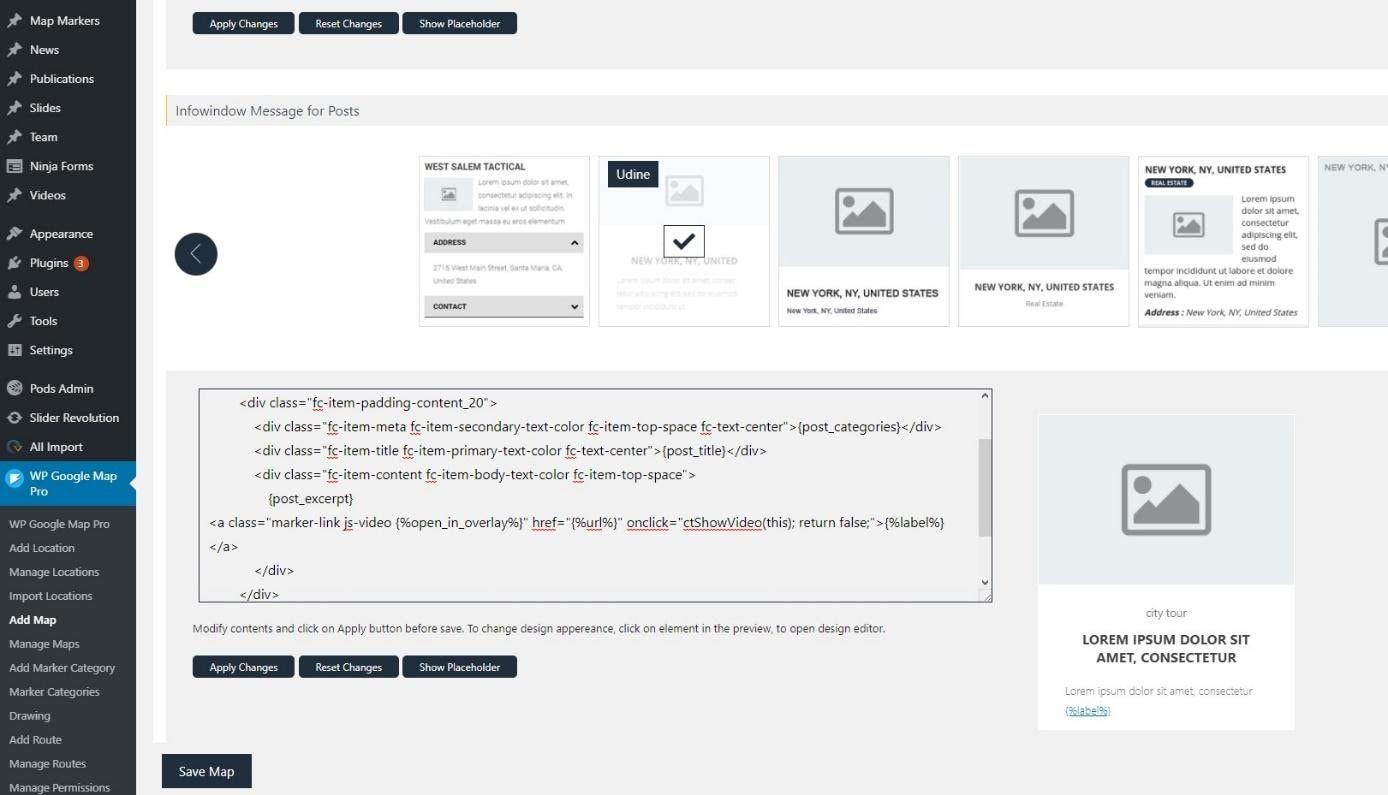
Add proper infobox HTML markup
<div class="fc-item-box fc-item-no-padding">

  {post_featured_image}

  <div class="fc-itemcontent-padding">

    <div class="fc-item-padding-content_20">

      <div class="fc-item-meta fc-item-secondary-text-color fc-item-top-space fc-text-center">{post_categories}</div>

      <div class="fc-item-title fc-item-primary-text-color fc-text-center">{post_title}</div>

      <div class="fc-item-content fc-item-body-text-color fc-item-top-space">

        {post_excerpt}

        <a class="marker-link js-video" href="{%url%}" onclick="ctShowVideoInModal(this); return false;">{%label%}</a>

      </div>

    </div>

  </div>

</div>
Now, add a custom javascript to trigger the modal
function ctShowVideoInModal(obj){

  var link = obj.getAttribute("href");


  if(! obj.classList.contains("js-video")){

    window.location.href = link;

    return false;

  }


  jQuery.magnificPopup.open({

    items: {

      src: link,

    },

    disableOn: 0,

    type: 'iframe',

    mainClass: 'mfp-fade',

    removalDelay: 160,

    preloader: false,

    fixedContentPos: false

  });


  return false;

}
Done! From now on, after clicking ‘Read more’ – the embedded modal will appear.
Follow us for other useful tips and guidelines.












![How to Fight AI Hallucinations About Your Brand [ready-to-use prompt inside]](https://www.createit.com/wp-content/uploads/2026/02/How-to-Fight-AI-Hallucinations-355x200.jpg)