Host React App with Netlify

Challenge: find a free way for hosting a React application
Solution: use the Netlify command interface
React, the open-source JS library, was released in 2013 by Facebook (Meta). React 16.8 was released on 2019-02-16, introduced hooks, which improve code reusability and allow to write fewer lines of code. Since the introduction of hooks, we can use functional components instead of Classes.
Do you have a simple React App and would like to show it to the world? Or perhaps, do you want to test your application using a public url? It’s possible with Netlify manual deploy!
Netlify, founded in 2014 by the Danish entrepreneur Mathias Biilmann, offers hosting and serverless backend services. With the current value of $2 billion, Netlify offers an easy way of deploying a React app. It’s free for personal and hobby projects. More info in this tutorial.
Adding a package
It’s a one-time step. We need to add the Netlify CLI, which will grant the ability to use the command line to control deployment. It requires Node.js version 12 or above.
npm install netlify-cli -g
Create the app build
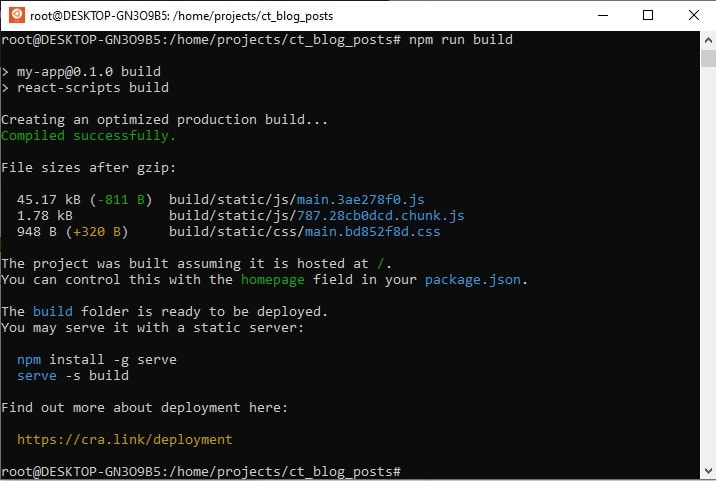
Every time you want to deploy changes, the production build needs to be created. React will create an optimized production build. Static compiled files will be placed in the /build directory. There will also be information about the gzipped size of all files.
Just execute:
npm run build
Follow the Netlify wizard
To initialize deployment, we need to use:
netlify deploy
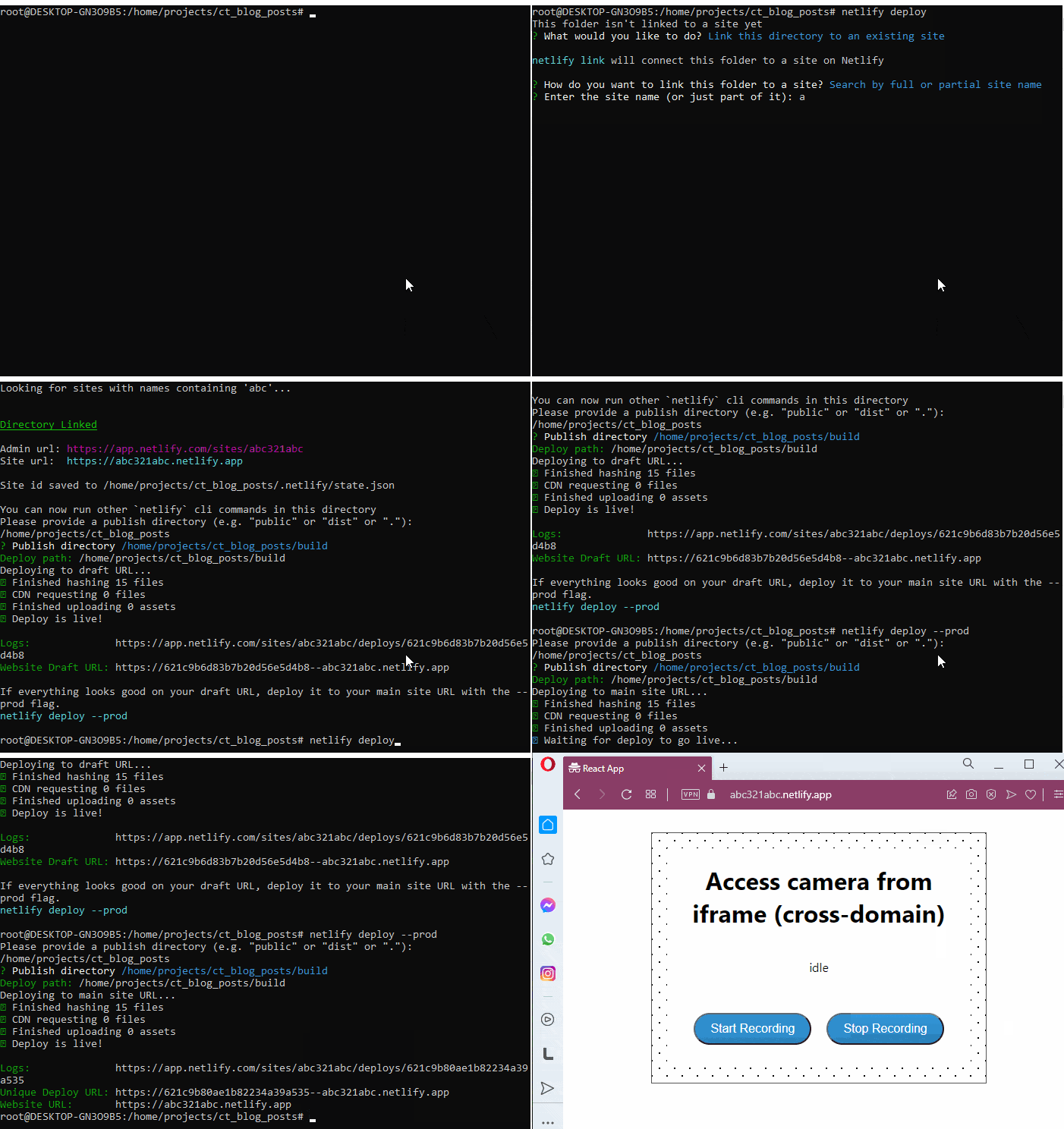
If it’s the first time, the wizard will ask about a deployment url and build directory. Next time, the settings will be saved without the need to choose it again.
The Wizard can be followed in your Console application (the same you’re using for the React application build). To select wizard steps, use arrows on your keyboard and accept using ENTER.
The Wizard will help with configuration. You can create a new site or choose an existing one. When asked about the ‘Published directory’, answer ‘build’ (typical React directory).
root@DESKTOP-GN3O9B5:/home/projects/ct_blog_posts# netlify deploy
This folder isn't linked to a site yet
? What would you like to do? Link this directory to an existing site
netlify link will connect this folder to a site on Netlify
? How do you want to link this folder to a site? Search by full or partial site name
? Enter the site name (or just part of it): abc
Looking for sites with names containing 'abc'...
Directory Linked
Admin url: https://app.netlify.com/sites/abc321abc
Site url:  https://abc321abc.netlify.app
Site id saved to /home/projects/ct_blog_posts/.netlify/state.json
You can now run other `netlify` cli commands in this directory
Please provide a publish directory (e.g. "public" or "dist" or "."):
/home/projects/ct_blog_posts
? Publish directory /home/projects/ct_blog_posts/build
Deploy path: /home/projects/ct_blog_posts/build
Deploying to draft URL...
✔ Finished hashing 15 files
✔ CDN requesting 0 files
✔ Finished uploading 0 assets
✔ Deploy is live!
Website Draft URL: https://621c9b6d83b7b20d56e5d4b8--abc321abc.netlify.app
Success! Deployment is live using the draft url. We can inspect the page and check the logs. If everything looks good on the draft URL, we can deploy it to the main site URL with the –prod flag.
netlify deploy --prod
Here is the full console information when working on production deployment to Netlify:
root@DESKTOP-GN3O9B5:/home/projects/ct_blog_posts# netlify deploy --prod
Please provide a publish directory (e.g. "public" or "dist" or "."):
/home/projects/ct_blog_posts
? Publish directory /home/projects/ct_blog_posts/build
Deploy path: /home/projects/ct_blog_posts/build
Deploying to main site URL...
✔ Finished hashing 15 files
✔ CDN requesting 0 files
✔ Finished uploading 0 assets
✔ Deploy is live!
Logs:              https://app.netlify.com/sites/abc321abc/deploys/621c9b80ae1b82234a39a535
Unique Deploy URL: https://621c9b80ae1b82234a39a535--abc321abc.netlify.app
Website URL:       https://abc321abc.netlify.app
That’s it! Our React app is live using the public url and an HTTPS connection.
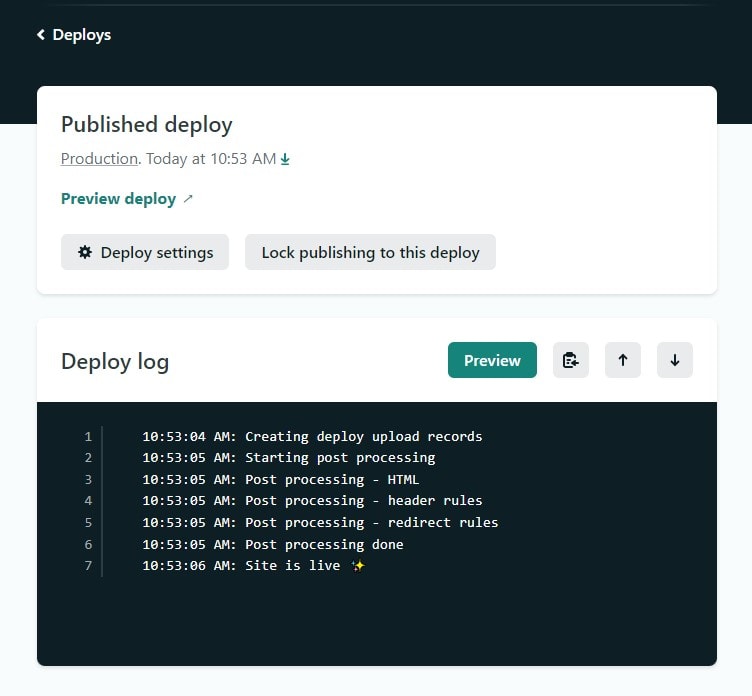
If something goes wrong, we can inspect the logs. After logging in to the Netlify account, more info about the issues will be visible.
Troubleshoot
Q: I would like to reset my Netlify settings and start the configuration wizard from the beginning.
A: To be able to run the wizard again, execute:
netlify unlink

netfliy deploy
Q: I don’t see the new changes after Netlify deployment
A: Make sure to create a new React build (npm run build)
Q: I’ve got an email: [Netlify] Alert: Insecure mixed content detected
A: Netlify url uses a secure HTTPS connection, but some file/files in your app are loaded via HTTP which causes the “Insecure mixed content” alert.
That’s it for today’s tutorial. Make sure to follow us for other useful tips and guidelines, and don’t forget to subscribe to our newsletter.















![How to Fight AI Hallucinations About Your Brand [ready-to-use prompt inside]](https://www.createit.com/wp-content/uploads/2026/02/How-to-Fight-AI-Hallucinations-355x200.jpg)